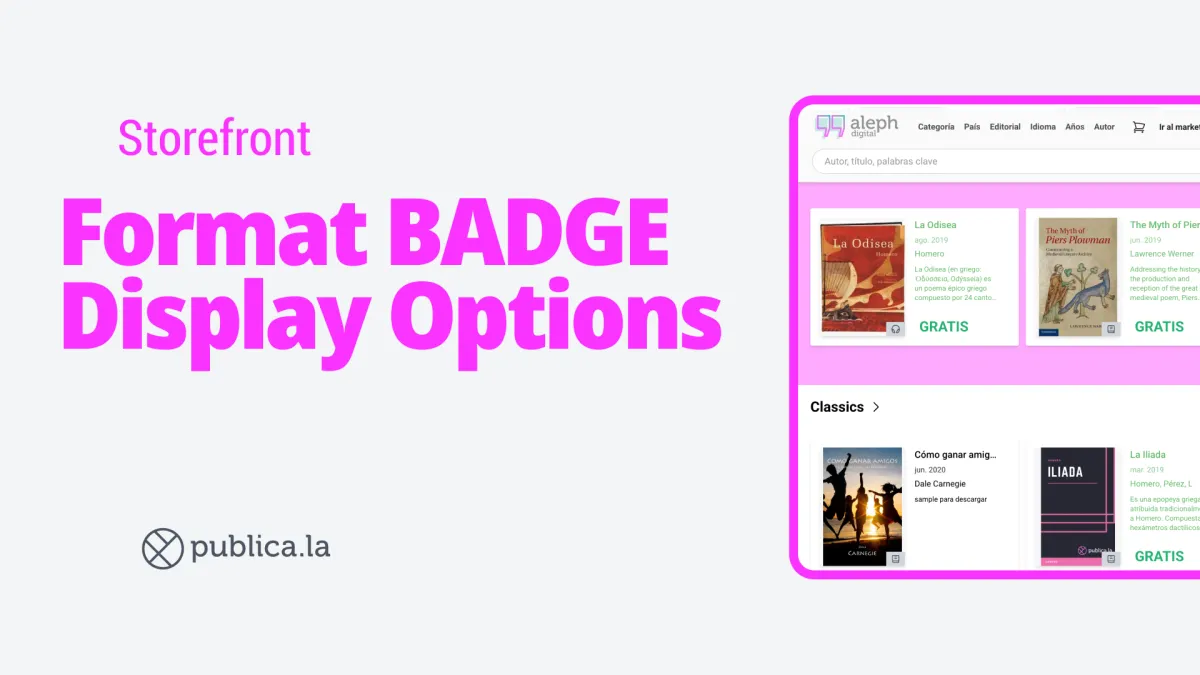
A cleaner, more universal way to display ebook formats on your storefront covers.
Until now, ebook covers in your storefront showed a text label indicating the format — like “EPUB” or “Digital”. While informative, these labels can feel noisy, especially on multilingual storefronts where translations vary.
Now you can switch to a universal book icon that replaces those text labels with a single, clean visual indicator.
How it works
New setting: Go to Dashboard → Settings → Storefront → “Format badge display” and check “Show format as icon on cover”
Live preview: See exactly how your covers will look before saving — the preview updates in real time as you toggle the option
Smart behavior by format: Audiobooks always show a headphone icon and physical products always show text, regardless of your setting. The toggle only affects ebooks (EPUB and PDF)
What changes per format?
EPUB: Shows “EPUB” text or a book icon, depending on your setting
PDF (Digital): Shows a book icon when icon mode is active — hidden entirely in text mode for a cleaner look
Audiobooks: Always display a headphone icon (no change)
Physical: Always display text (no change)
💡 Result: A more polished storefront that works seamlessly across languages, with less visual clutter on your covers.