 publica Reader
publica Reader · The reading app
Your whole library,
in your pocket.
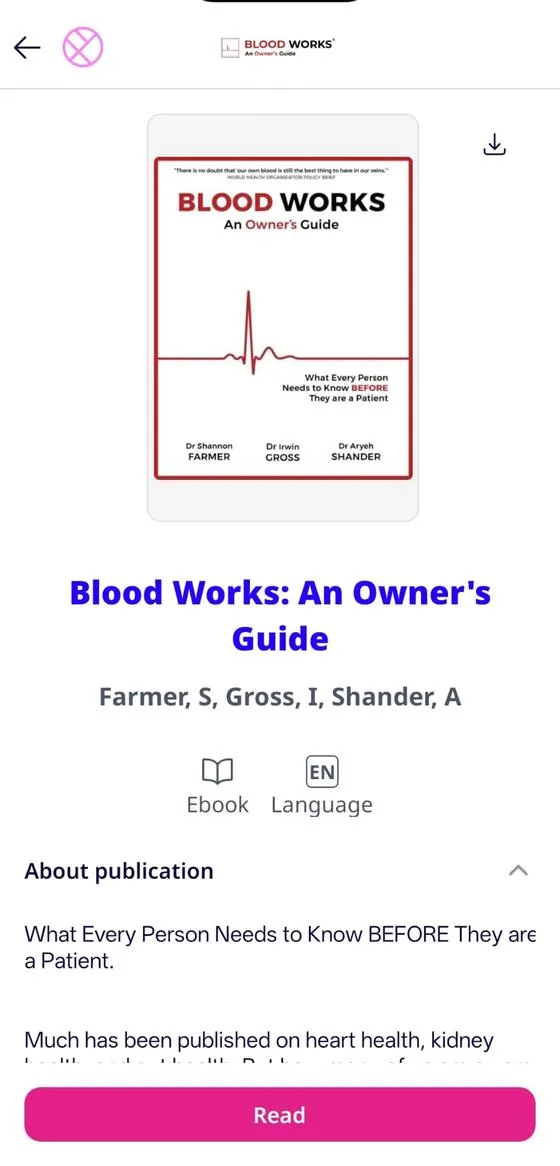
publica Reader is the app for reading and listening to the content from all your stores, libraries and subscriptions — online or offline. Free, on iOS and Android.
Free · iOS 15.5+ · Android 8.0+

Read it. Hear it. Browse it.
 EbooksDepository
Discover your next read
on ebooksdepository.
Thousands of ebooks and audiobooks from publishers around the world, ready to buy and open instantly in publica Reader. New releases, classics and hidden gems.
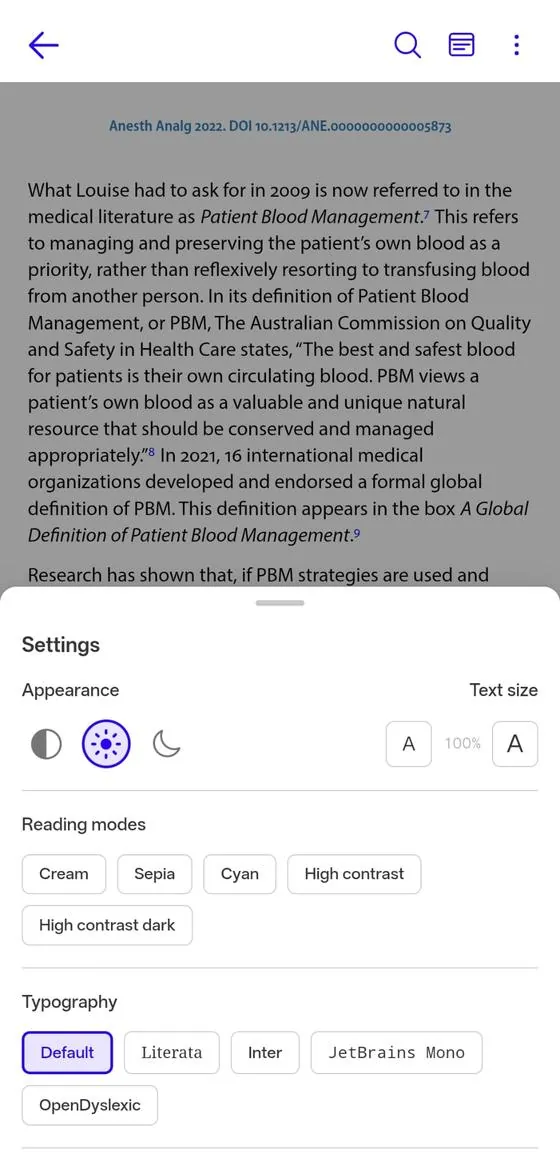
publica Reader adapts to you.
Typeface, text size, line spacing and margins: adjust everything until the page feels like yours. Your preferences follow you across all your devices.
Warm like paper.
For long reading afternoons, a soft background that rests your eyes without losing contrast.
Freshness for studying.
A mode built for intense sessions: less fatigue, more focus. Ideal for notes and academic texts.
Read as late as you want.
True darkness and high contrast that exceeds WCAG accessibility standards. Nobody will know you are still awake.
Chapter 4 · Memory
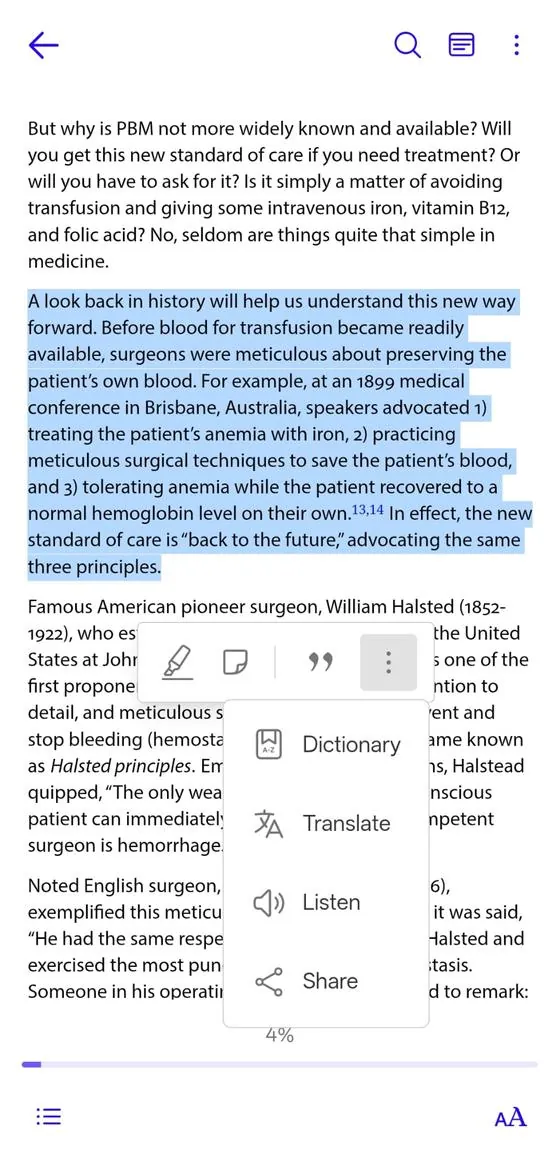
A look back helps us understand this new path. Before everything changed, readers were meticulous with their books: they underlined them, annotated them, carried them everywhere.
Reading is not a place, it is a habit that goes with you — on the train, in the waiting room, in bed with the lights off.
That is why the reader had to adapt to every moment of the day, and not the other way around.
Your type, your size,
your pace.
Choose from typefaces made for reading — Literata, Inter, JetBrains Mono — and OpenDyslexic for readers with dyslexia. Adjust text size, line spacing and margins, pick your color mode and turn pages with a tap or with continuous scrolling, whichever you prefer. publica Reader remembers it across all your devices.
Highlight. Annotate. Remember.
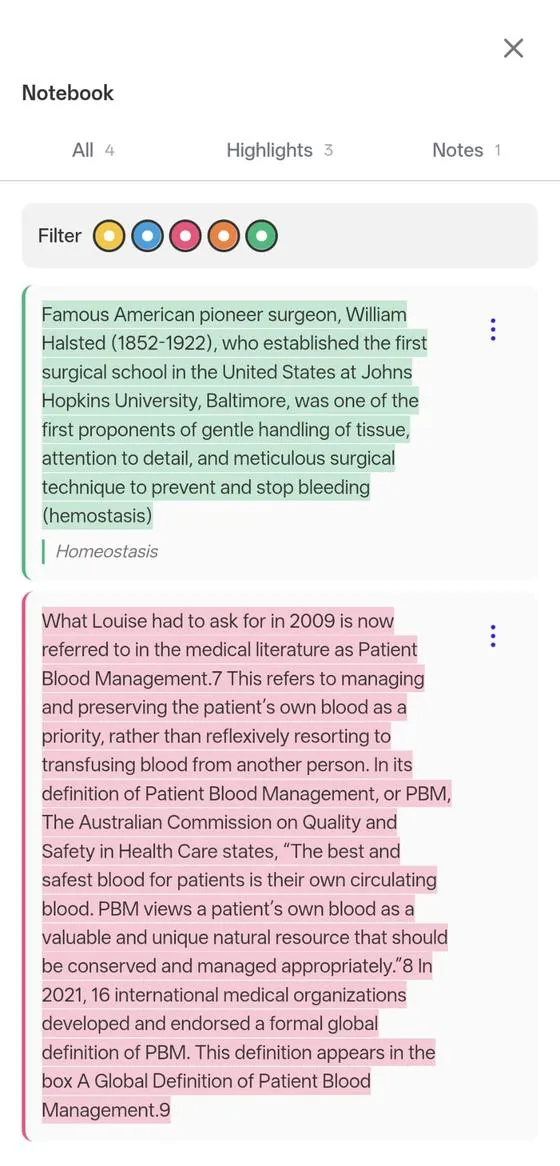
Mark what matters with colors, leave notes and find it all again in the publica Reader notebook — with filters, export and even ready-made citations in APA, MLA or Chicago format.
«The surgeon William Halsted was one of the first champions of meticulous care and precise technique: a principle that keeps inspiring entire generations.»
Every word,
one tap away.
Dictionary
Tap a word and understand it instantly, without leaving the page.
Translation
Select a passage and translate it into your language. 112 languages available.
Listen
Turn any page into audio and follow the story with your eyes closed.
Share
Send that perfect quote to whoever needs to read it.
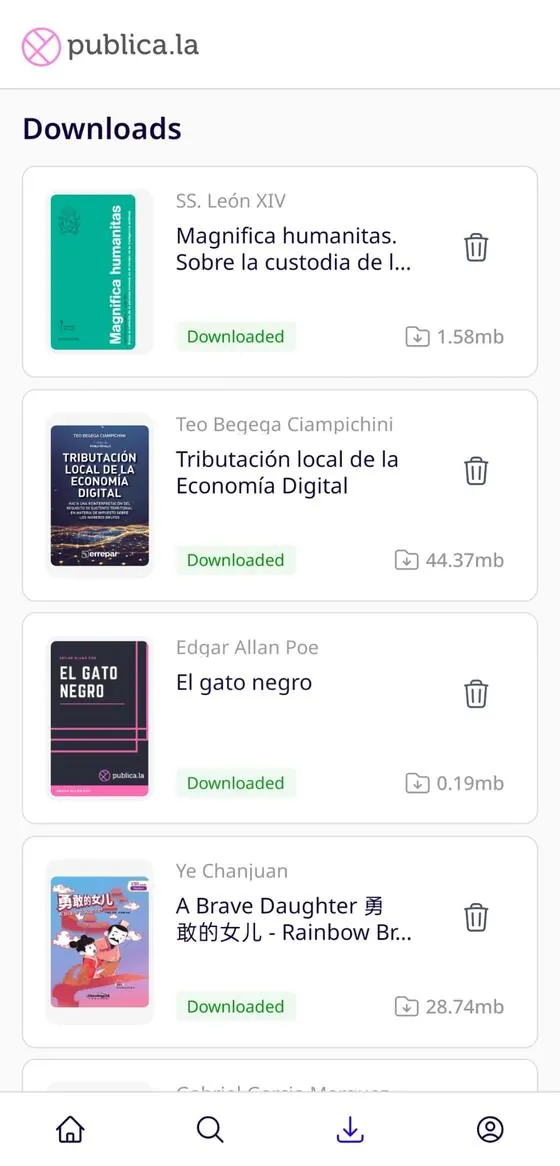
Airplane mode
can't stop you.
Download your books and take them where the signal doesn't reach: the subway, the road, the mountains, the twelve-hour flight. Your progress is saved and syncs as soon as you reconnect.
And don't worry about space: choose WiFi-only downloads and manage your storage right from publica Reader.
All your stores,
in one place.
Do you buy from a digital bookshop, subscribe to your newspaper and borrow from the library? With a single account, publica Reader brings together the content from every store you belong to — no duplicate apps, no endless passwords.
Frequently asked questions about publica Reader
What people arriving here looking for the app ask us most.
Your next read
is already waiting.
Download publica Reader for free and step into your library in under a minute.
Free · iOS 15.5+ · Android 8.0+